Two weeks of HypeFox: a CapCut-style editor, a queue for your footage, and a plan for agencies
What's new in HypeFox from November 10 to 17, 2026: the editor rebuilt to work like CapCut, a queue for your own footage, Instagram and TikTok connected through the HypeFox app, and the Agency plan with team seats.
Two weeks have passed since our last post, and HypeFox has changed a lot. Here is everything that's live today, most important first.
The editor now works like CapCut
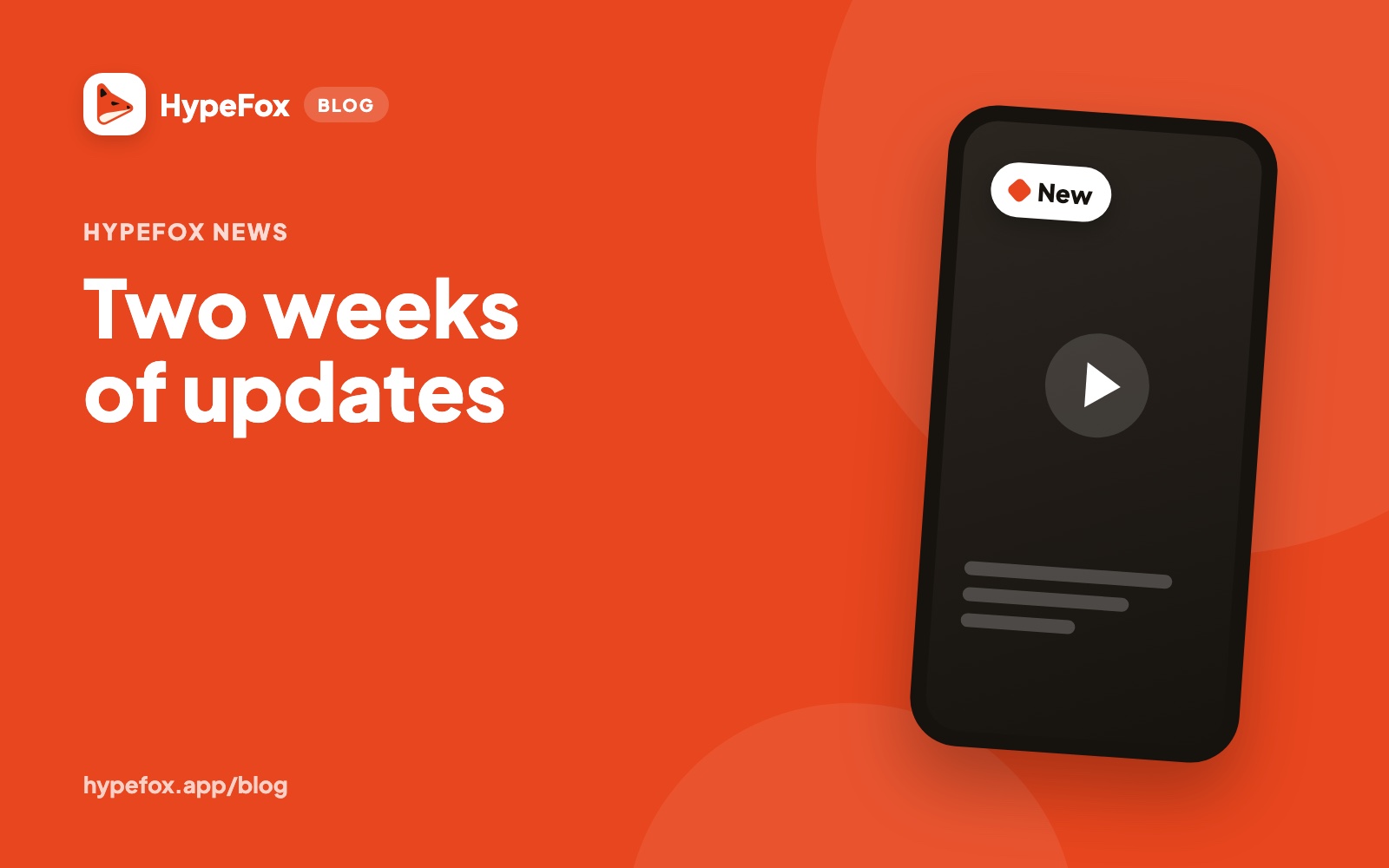
The editor first shipped at the end of October. Since November 13 the desktop version is laid out like CapCut: a tabbed library on the left, the video in the middle, the timeline underneath, and on the right only the settings for the piece you picked. Since November 14 it works the same way on your phone.
- Free elements. Texts, stickers, photos and shapes go anywhere in time, even on top of each other. Select several at once, copy and paste them.
- Transitions. Pick one from the library and drag it onto a cut.
- Sound effects. They have their own row in the timeline. You see the ones HypeFox adds and you add yours.
- Your own music. Upload an MP3, M4A or WAV file and use it instead of the HypeFox track.
- Split. In videos made from your footage, split the scene at the playhead with the S key or the scissors.
- The end scene. An empty scene after the video, with your project's logo and any text you want.
Saving is still free.
You film, HypeFox does the rest
Someone testing the app records ten videos in an hour and asked us not to have to babysit each one. Now you upload them together and they go into a queue. HypeFox edits them and puts them on the calendar one after the other. You choose whether to see each one before it goes out.
You pick how long each video can be, from 30 seconds to 3 minutes. And the edit no longer sits still: the framing follows your face and pushes in on the words that matter.
Instagram and TikTok, connected through the HypeFox app
On November 11 Meta approved the HypeFox app to publish to Instagram and read the numbers. On November 13 TikTok completed its final review. Since then you connect both profiles directly with HypeFox, the way YouTube already worked. If you connected them earlier, the app asks you to reconnect once.
TikTok statistics are now in Analytics too.
More control over what goes out
- Each platform at its own time. The same video goes out on YouTube, Instagram and TikTok at the best time for each.
- Automatic, piece by piece. One switch for each thing HypeFox does on its own: making the videos, posting them, picking the times, replying to comments.
- Fixed hashtags and sign-off. Write them once per project and they go into every description. You can edit descriptions from the video page.
- AI label. It's applied only when the video really contains generated content.
The Agency plan, with a team
Since November 16 the Agency plan (€99 a month, 2,000 credits, 30 connected accounts) has three things people who work for clients asked for:
- Team. Five seats included. Each person signs in with their own login and works on the agency's account.
- Client approval. Send a link, the client watches the videos and approves them. They don't need an account.
- Your brand. Approvals and reports carry the agency's name.
If 30 accounts aren't enough, add as many as you need at €3 a month each.
The trial
Since November 17 the trial is the full Creator plan for 7 days: 250 credits and no watermark. It starts with a card, and if you cancel before it ends you pay nothing.
Open HypeFox and see what changed.